Get Started
Welcome to FlashDreams!
This page will guide you into running your first world-model.
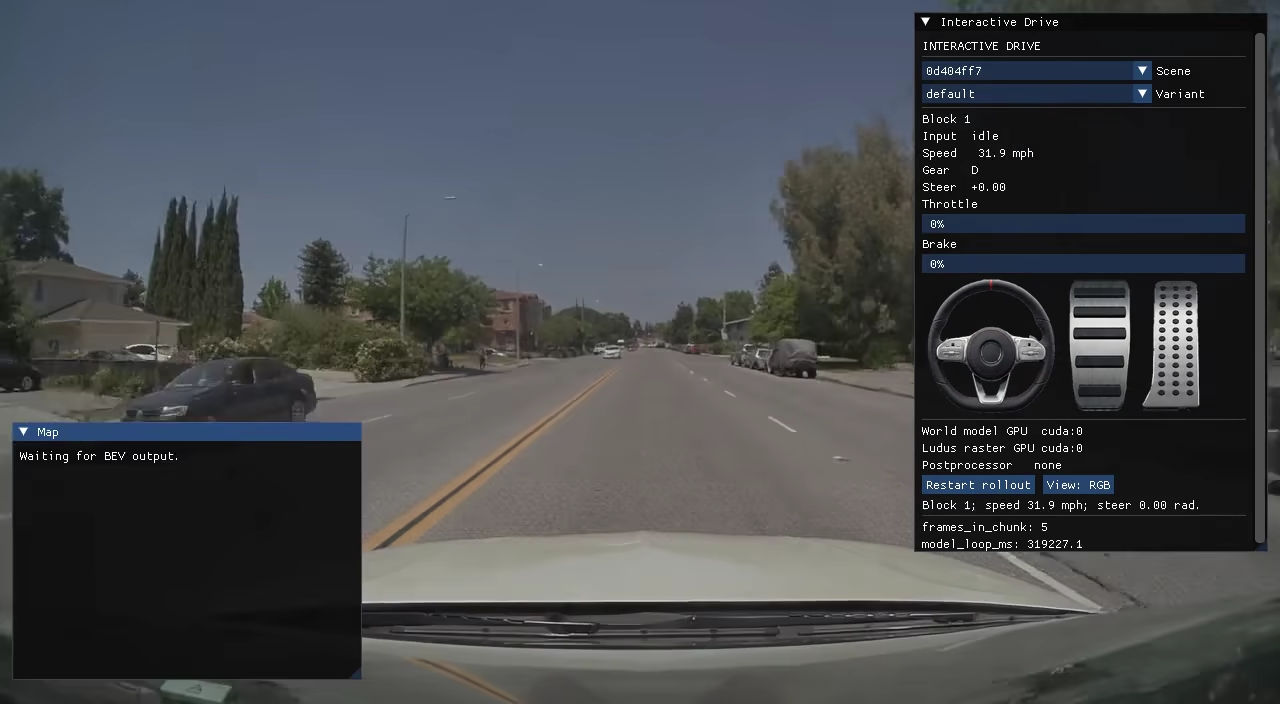
We will use NVIDIA OmniDreams, an interactive driving world model, as the example:
Install
First, clone FlashDreams:
git clone https://github.com/NVIDIA/flashdreams.git
cd flashdreams
Now we need to install uv, FlashDreams's package manager.
Installation instructions here.
With uv installed, clone the repository and synchronize uv to the OmniDreams workspace via:
uv sync --package flashdreams-omnidreams --extra interactive-drive --inexact
Most runs need a Hugging Face token for model/example-asset downloads. For OmniDreams, use a token with read access to nvidia/omni-dreams-models and nvidia/omni-dreams-scenes:
export HF_TOKEN=<your-hf-token>
Run your first model
Launch the interactive driving demo in a browser over WebRTC:
uv run --no-sync flashdreams-run-v2 \
    interactive-drive-omnidreams --mode webrtc \
    --host 0.0.0.0 --port 8089
# Open in browser: http://<server-ip>:8089/
The first launch spends several minutes loading checkpoints and compiling kernels.
See our How to Run a Model for more information on the CLI run command to tune the arguments to your liking.
- See our Omnidreams Overview for a brief Omnidreams world-model overview.
- See our Interactive Drive Overview for more information on the demo.
Install one integration
Install only the model package you need with --package. Add --extra dev
when working on its code:
uv sync --package flashdreams-omnidreams --extra dev --inexact
Use the distribution name from the integration's pyproject.toml.
See Models for available integrations, requirements, and
setup commands. See Testing for test commands.
Where to next
- Model Gallery: Every FlashDreams default-shipped model & how to run models!
- Demo API guides: Create and configure demos, then integrate models with them.
- Inferencing API guides: Add models and understand the stream inference pipeline.
- Troubleshooting: Common first-run failures and fixes.